Homelab Infrastructure
A self-hosted infrastructure stack running on Proxmox, with Docker Compose, Traefik reverse proxy, Authentik SSO, and 15+ services including Nextcloud, Paperless, Forgejo, and n8n.
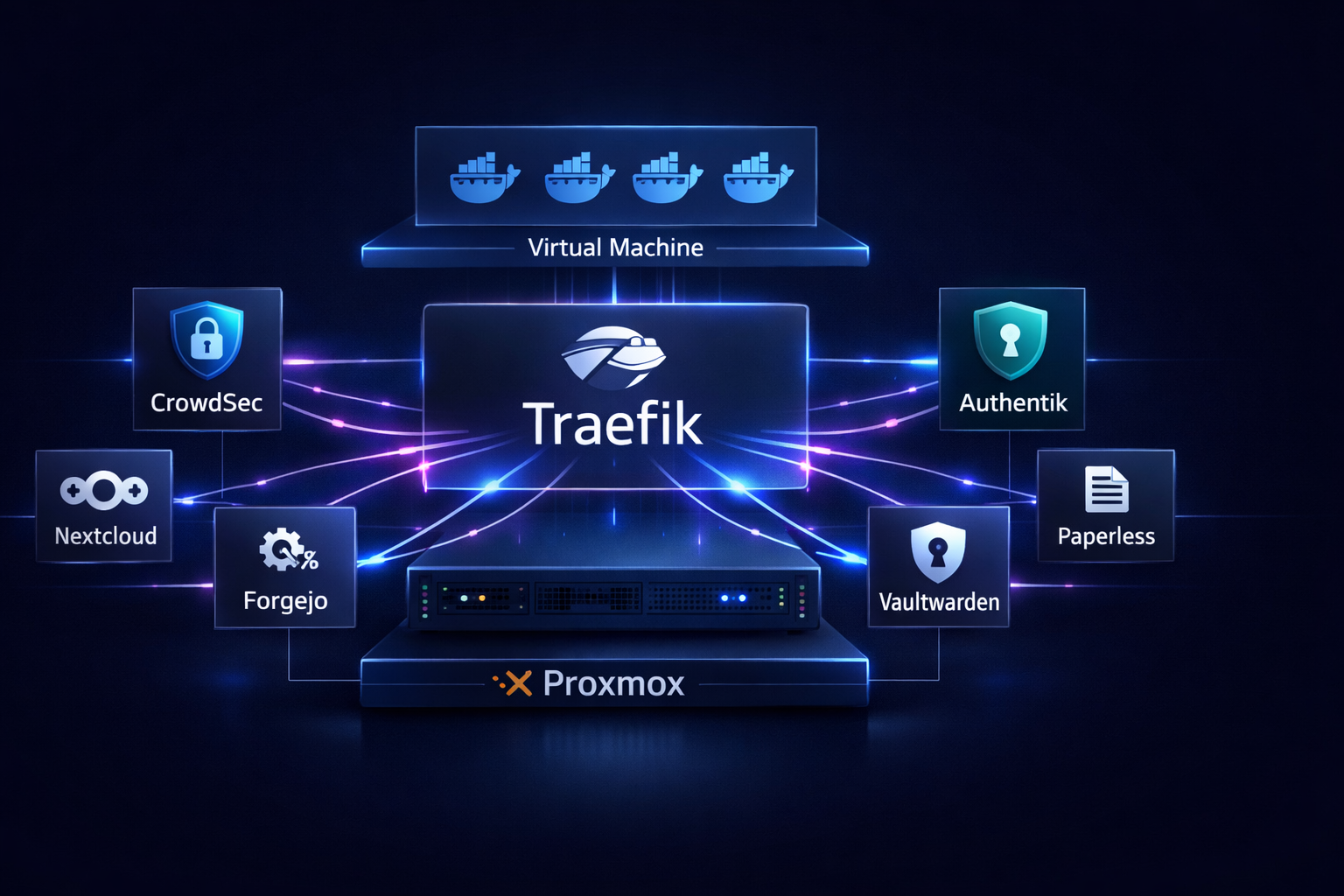
While most folks rely on cloud services for absolutely everything, I decided to take the leap and build my very own!
What started as a simple, innocent curiosity about self-hosting quickly snowballed into a full-blown, production-grade home infrastructure stack! It hums along 24/7 on a physical server right in my office, handling everything from DNS and document storage to Git repositories and automated workflows. I can honestly say it’s been one of the absolute most rewarding things I’ve ever built. Grab a coffee, and let me show you around! 😁
The stack (under the hood)
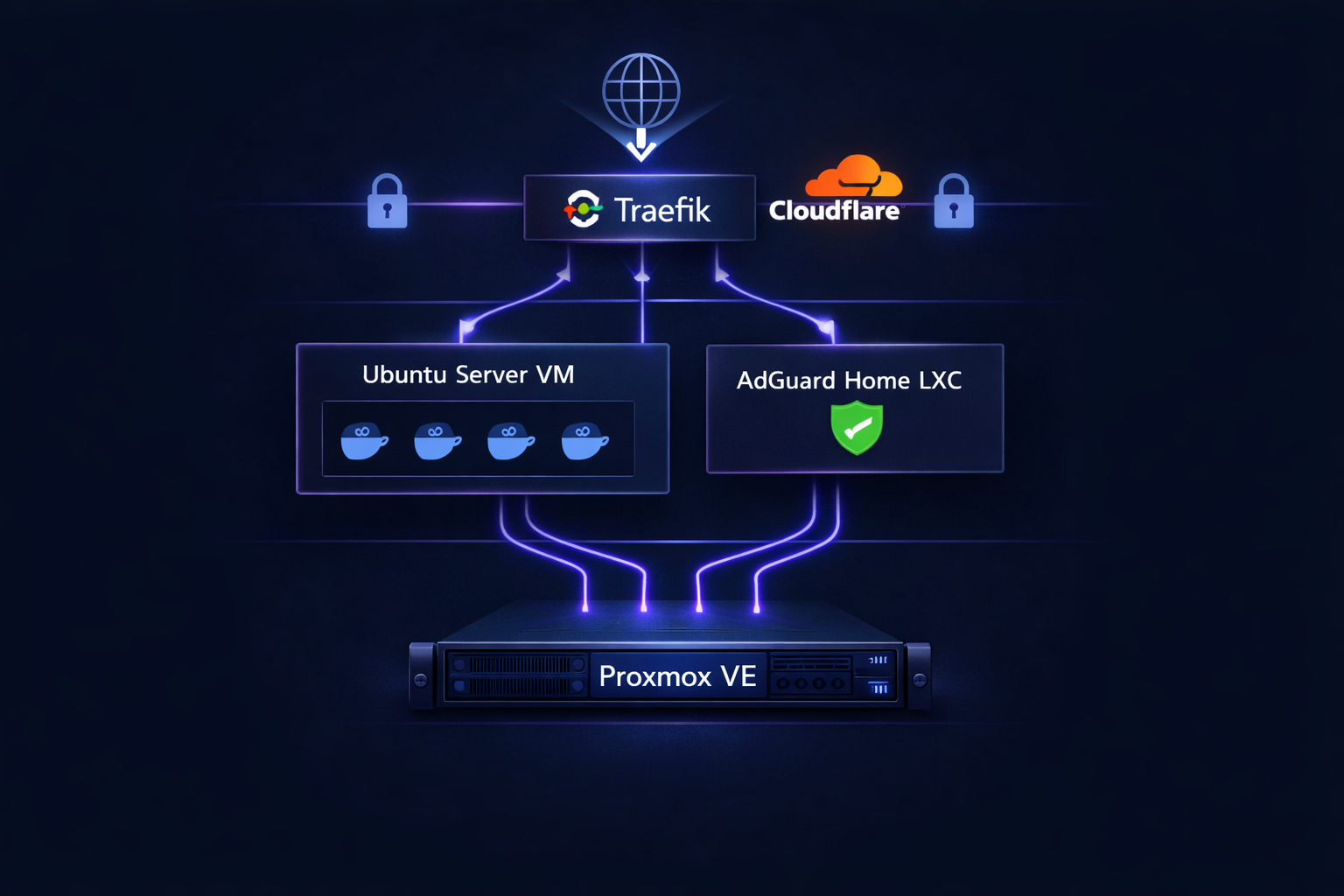
The rock-solid foundation of everything is Proxmox VE. It is a type-1 hypervisor that runs bare-metal directly on the hardware. I actually hadn’t heard of Proxmox before diving into this project, but since the entire homelab community raved about it, I had to give it a shot. And wow, am I glad I did!
Sitting on top of Proxmox is an Ubuntu Server 24 LTS virtual machine that happily hosts my entire Docker stack. Alongside that is a super lightweight LXC container completely dedicated to DNS using AdGuard Home. Keeping DNS separated from the main stack was a strategic move. If a container crashes or I’m tinkering with maintenance, the home network stays up and running without a hitch!
All my magical little services run as Docker Compose stacks, with Traefik acting as the brilliant reverse proxy sitting out front. Traefik handles all the heavy lifting like HTTPS termination, routing, and fetching SSL certificates automatically via Cloudflare DNS challenges. Every single service gets its own fancy subdomain and a valid certificate, all without me having to lift a finger!
Security first
Right from the start, a huge goal of mine was to treat this setup exactly like a real production environment. Not necessarily because I’m expecting a team of elite hackers to target me, but because building things the “proper” way is the absolute best way to learn how they truly work under the hood!
1. Crowdsec
- CrowdSec is my digital bouncer, handling threat detection at the network level. It constantly reads access logs in real time, spots sneaky attack patterns, and automatically bans malicious IPs using a Traefik integration. It is so incredibly cool to run the exact same kind of enterprise tools used in massive corporate environments right here in my humble homelab.
2. Authentik
- Then there’s Authentik, my centralized identity provider. Think of it as my very own self-hosted Okta! Absolutely every service sits safely behind it. Unauthenticated requests never even reach the actual applications. Traefik intercepts them first, politely checks in with Authentik, and only opens the gates if you’re officially logged in. For services that fully support it, like Nextcloud, Paperless, Forgejo, and Reactive Resume, it provides true single sign-on magic. One login, and you have the keys to the entire kingdom.
I won’t lie to you, getting those two set up perfectly was definitely the hardest part of the entire project! CrowdSec forced me to deeply understand Traefik middleware chains. Authentik required wrapping my head around OAuth2 flows, the quirks of Docker internal networking, and the mysterious reasons why server-side token exchanges behave so differently from standard browser redirects. I actually learned that last lesson the hard way when a random server reboot changed Traefik’s internal IP and silently broke every single OAuth2 integration at the exact same time. Ah, the joys of self-hosting! 😅
What’s running
Right now, this little powerhouse runs over 15 amazing services across a few main categories:
-
Productivity: Nextcloud handles all my file storage and calendar syncing. Paperless-ngx is a lifesaver for document management and OCR. Vaultwarden keeps my passwords locked down tight, and Reactive Resume is fantastic for building beautiful CVs.
-
Development: I use Forgejo as my fully self-hosted Git server complete with a CI/CD runner. I also run Code-Server to get VS Code directly in my browser, alongside n8n for some seriously powerful workflow automation.
-
Infrastructure: Dockge makes Docker Compose management a breeze. Dozzle gives me real-time log viewing, Diun taps me on the shoulder when image updates are ready, and Uptime Kuma keeps a watchful eye on service monitoring.
-
Utilities: Stirling-PDF covers all my document processing needs, IT Tools is a great Swiss Army knife for developer utilities, LibreSpeed lets me run quick network speed tests, and PairDrop is perfect for zipping files around locally.
Automation
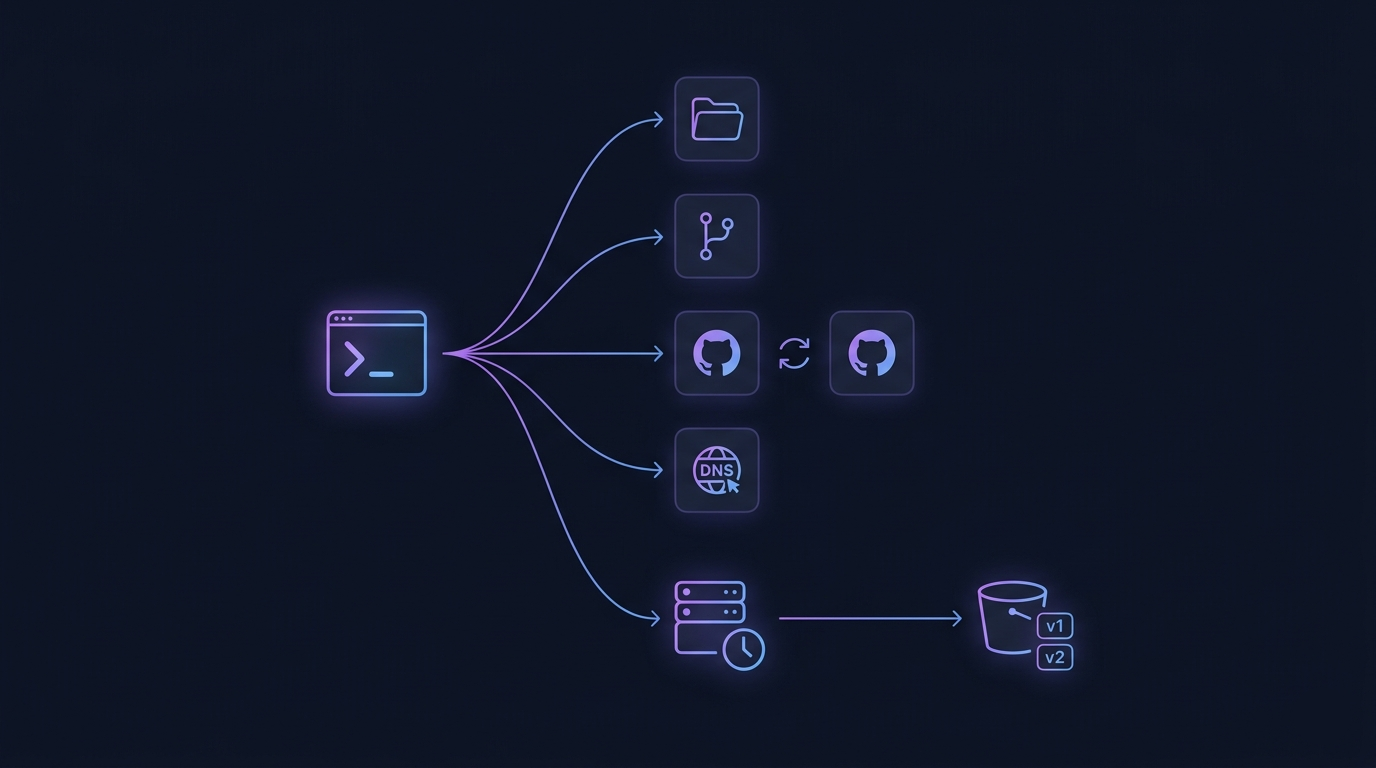
One of the absolute coolest parts of this setup, and something I’m deeply proud of, is the automation I’ve built around deploying new services! Every time I want to add something shiny and new to the stack, a single script handles the whole dance. It creates the directory, initializes a Git repo, sets up private repos on both my local Forgejo and GitHub, configures a push mirror between them, and even adds the necessary DNS rewrite to AdGuard. All of that power in just one single command!
Every piece of configuration lives safely in version-controlled Git repos, beautifully mirrored over to GitHub as a secure offsite backup. It means infrastructure changes are carefully committed, rather than just applied on the fly.
To give me total peace of mind, Proxmox backups run automatically every week and sync straight to S3 using a clever hook script, keeping the last two copies strictly versioned. If the worst ever happened, the entire stack could be rebuilt entirely from scratch using those stored configs and a quick S3 restore.
What I learned
Honestly, building this homelab has taught me lessons that years of professional work never quite managed to instill! It isn’t because the concepts themselves were brand new. It is because owning the entire stack, from the bare-metal hypervisor all the way up to the application layer, forces a level of deep understanding that relying on managed cloud services just cannot provide.
When something mysteriously breaks at 11 PM, there is no support ticket to raise. You just have to roll up your sleeves, read the logs, trace the failing request, and figure it out yourself. It is a completely different kind of learning, and honestly, it is infinitely more satisfying.
My homelab has also become my ultimate live test environment for everything I touch professionally. Whether it is Docker, AWS, Terraform, reverse proxies, or identity providers, everything I have built here has a direct parallel to how massive production infrastructure works at scale.
Is it finished? Not at all. Will it ever be finished? Probably not! But honestly, that is exactly the point! 😄